

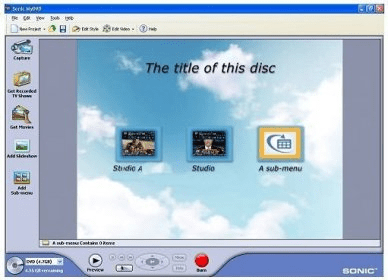
Sonic MyDVD 4.0 uses almost the same video-encoding technology as most high-end software for the creation of DVD, but because of a considerably big cutback of features, MyDVD costs around $79. This software has interesting video importing capabilities, provides the possibility to create extremely simple DVD menus, it will only allow moving between scenes, and it will burn videos to a DVD. This version even includes a few extra menu-design tools. Sadly, the program's limitations and the expensive tech support diminish its potential; you can get far more for a similar price the competence.
As many other DVD-creation programs, such as Roxio, it enables format movies for both VCD and DVD that have standardized video formats to reproduce videos.
MyDVD is not flexible enough, if users are expecting to customize DVDs; MyDVD is not the right choice. Users can change the following: font on menus but menus must have the same font. The good thing that is it has a plug-in for Adobe Photoshop that allows the use of Photoshop’s text and layers for menus.
Two of the things that really struck me were the Direct-To-DVD recording and slide-show modes. The first will allow the user save storage space and time, it records video programming directly to a DVD without uploading the video or audio data to you hard drive. If you just want to copy your VHS to a DVD, no edition needed, this makes it ease.
One the other hand, MyDVD lacks documentation and the technical support is expensive. The whole documentation consists of a couple of printed pages. The phone support is rather expensive, $30 per call.
The summary: this software includes many features that are already available in the market and the lack of documentation, plus the expensive technical support makes it the second or third choice.




Comments (1)